
- OPEN SOURCE
- TUTORIALS
- PROGRAMMING
- artificial intelligence (2)
- computer graphics (3)
- computer vision (4)
- game technologies (2)
- rigging & deformation (4)
- simulations (9)
- VFX / CG WORKS
- PROJECTS
- REELS
- ME



CURRENTLY VIEWING |
||||||
|
PHANTASY
Our hero slashes a sword into the ground and releases massive energy to wipe out the enemy
|
||||||
 |
||||||
|
@
projects > vfx & animations
|
||||||
|
SECTION MENU
|
||||||
This animation holds great significance to me because it is my very first CG animation. It was done in 3D Studio Max 5.1 over a period of about 1 to 2 weeks. I planned this animation in such a way that it includes all the new things that I have learnt for practise.
The animation shows the hero charging up his sword, slashing it into the ground and blasting the crowd of enemy away.
The final video for Phantasy
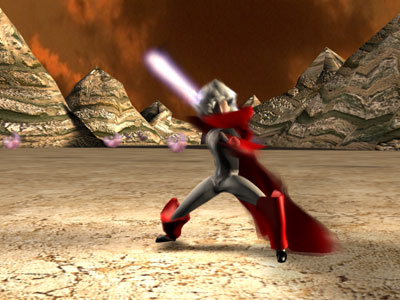
The hero charges up his sword
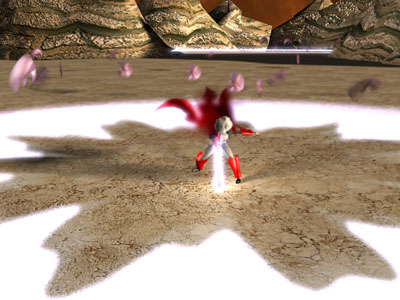
The hero sticks the sword into the ground with an initial blast
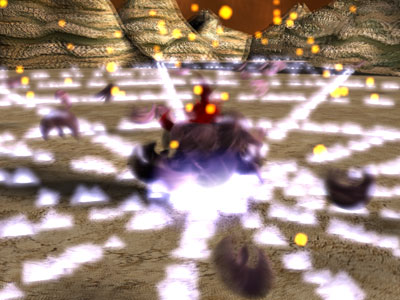
Enemies crowd around the hero
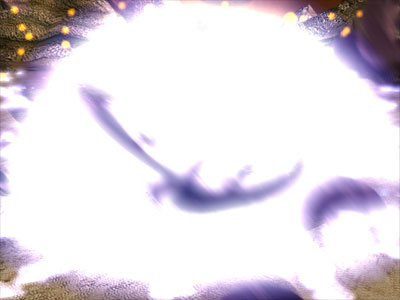
Enemies get blasted away by the final energy outburst

This animation really doesn’t use a lot of fanciful features. Nevertheless, let me briefly go through some of the details.
The cape animation was done by adding a Flex modifier to a subdivided plane and binding it to wind forces. This really isn’t the best way to simulate cloth but it looks pretty decent here.
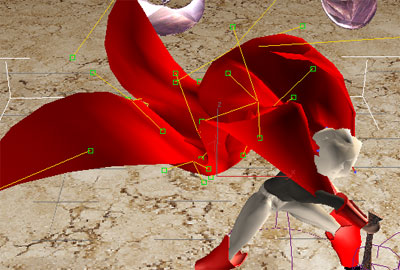
Cloth simulation using the Flex modifier
The enemies were controlled using the Crowd function which ships with Character Studio. I first populate the scene with 100 of the enemy meshes using that tool and then created a Seek behaviour so that all of them will fly towards the hero. It gave a cool effect of the enemies crowding and spiraling around the hero.
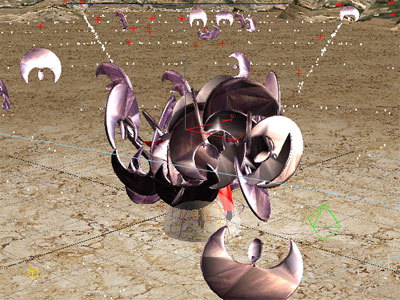
Enemies fly towards the hero due to the Seek behaviour applied
The energy emission was done by emitting moving particles from the surface of the ground, and stationary particles along the edges. Glow filters were added in the Video Post of 3dsmax to create the glow effect.
Particles were emitted and Video Post glow was applied to give a grand energy outburst look
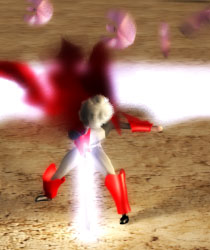
The hair was modeled by extruding all the faces of the scalp and adding a Noise modifier to it. I added a Flex modifier to it as well so that it will flutter with the wind but the effect was not obvious in the video. This is a very cheapo way of getting some surface variation for the hair but it worked fine for the video since there were no close-ups like in the image below. Having a “helmet hair” was better than being bald.
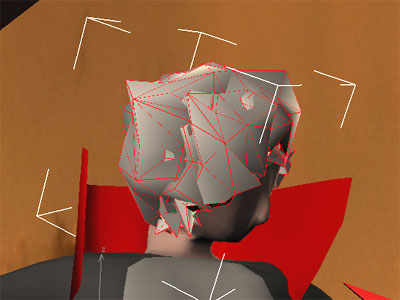
The “helmet hair” was created by extruding the scalp and adding a Noise modifier
Camera shake was pretty straightforward: Applied a noise controller to the Position channel and added some motion blur to the rendering.
Other than these, the rest are just some usual stuff like simple modeling, rigging/enveloping with Character Studio, animation, lighting etc and I shall not explain them here.
 Skeel Lee


